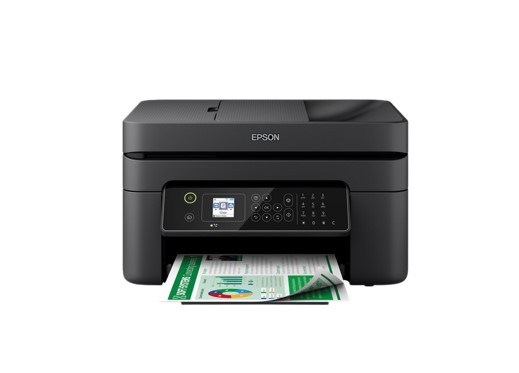
Epson Workforce WF-2840DWF is a multifunction inkjet printer that will give you very high-quality prints, and we are very confident that the print, scan, and copy capabilities available on this printer will make it easier for you to use it. Epson also provides fax capabilities on these printers. With the support of various great features available on this printer, we are very sure that users will easily be able to use it.
Epson WF-2840DWF uses a printing method 4-color inkjet printer with support for Ink Technology Pigment black and Dye color Inks, and you will also get a print resolution that reaches around 5,760 x 1,440 dpi. You’ll also get print speeds that reach around 33 pages/min Monochrome (plain paper 75 g/m²) and 18 pages/min Colour (plain paper 75 g/m²). Monthly print recommendations on this printer can reach around 3,000 pages.
What about the scanning and copying capabilities of this printer? You will get excellent scan results with scan resolution support that reaches around 1,200 DPI x 2,400 DPI. This printer uses a Scanner type: Contact image sensor (CIS) with Output scan formats: BMP, JPEG, TIFF, multi-TIFF, PDF, and PNG. The capacity of printing paper on this printer can reach about 100 sheets. You can also use the Epson WorkForce Pro WP-4525 DNF as another alternative.
Epson Workforce WF-2840DWF Driver Download
Epson Product Setup v1.0 (Windows) – Download
Printer Driver (Windows) – Download
EPSON Scan (Windows) – Download
Printer Driver (macOS) – Download
Operating Systems:
You can use the Epson Workforce WF-2840DWF Driver on Windows and macOS operating systems. If you use a Windows device, you can use it on Windows 7, Windows 8, Windows 8.1, Windows 10, Windows Vista, and Windows XP. We also provide driver download links for Epson Workforce WF-2840DWF. The driver download link available on our website is directly connected to the official Epson website.
9 thoughts on “Epson Workforce WF-2840DWF Driver”