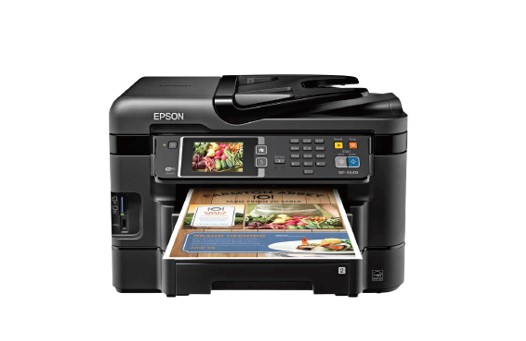
Epson WorkForce WF-3640 Driver
If you are looking for an Epson brand printer with excellent printability and quality, we highly recommend that you use the Epson WorkForce WF-3640 as your printing machine. These printers offer increased productivity and flexible paper handling for small offices. Powered by PrecisionCore printing technology that will produce excellent and quality prints.
You will get an excellent print speed, and you will get an ISO Print print speed of about 19 ppm for printing mono documents and 10 ppm for printing color documents. For a 2-Sided ISO print speed, you will also get a print speed of about 9.2 ppm (Black) and 6.3 ppm (Color). You can also use the Epson WorkForce WF-2630 as another alternative.
You will also get excellent and quality scan results with support for scan resolution of 2400 dpi (Optical Resolution), 1200 x 2400 dpi (Hardware Resolution), and 9600 dpi (Maximum Resolution). This printer also uses Scanner Type: Color flatbed/Automatic 2-sided ADF with scan support for Scan to PC and Scan to Cloud features. You will also get excellent copy capabilities with the support of copy features such as Automatic 2-sided, ID Copy, and Adjustable Copy Density.
Printer Epson WorkForce WF-3640 Driver
Drivers and Utilities Combo Package Installer (Windows) – Download
Scanner Driver and EPSON Scan Utility v5.2.2.4 (Windows) – Download
Printer Driver v2.32.01 (Windows) – Download
Drivers and Utilities Combo Package Installer (macOS) – Download
ICA Scanner Driver v5.8.11 (macOS) – Download
Printer Driver v10.85 (macOS) – Download
Scanner Driver and Epson Scan (macOS) – Download
Operating Systems:
You can use this printer on both Windows and macOS operating systems. If you are using a Windows device, you can use it on Windows 7, Windows 8, Windows 8.1, Windows 10, Windows 11, and Windows Vista. We also provide a driver download link for the Epson WorkForce WF-3640, which is connected directly to the official Epson website.
1 thought on “Epson WorkForce WF-3640 Driver”